Smart House Outline Icon: The Vector for Your Connected Brand
When you are building a digital presence, whether for a mobile application, a property management website, or a smart home automation startup, the details matter. We often spend hours agonizing over the perfect sans serif font for body copy or the right shade of blue for a logo, but we frequently overlook the utility that ties the interface together: the iconography. A generic house icon feels dated, but a complex illustration often gets lost on a small screen. This is exactly where the Smart House Outline Icon steps in. It is not just a clipart image; it is a versatile design asset built for the modern web and mobile ecosystem.
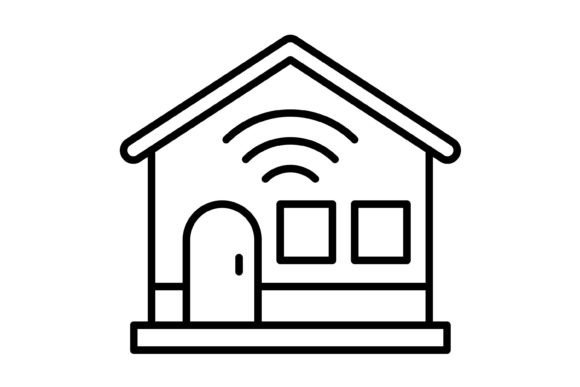
The visual personality of the Smart House Outline Icon is defined by its minimalism and precision. Unlike heavy, filled pictograms, this outline style offers a sense of lightness and sophistication. The lines are crisp, the geometry is balanced, and the style fits seamlessly into contemporary flat design trends. It captures the essence of a "connected" home without relying on overly literal or tacky futuristic tropes. It is professional, clean, and neutral enough to work across various color palettes, making it a powerful tool for brand identity where consistency is key.
Why File Formats Matter More Than You Think
One of the biggest headaches in design is receiving an asset that only works in one specific context. You might download a beautiful icon, only to find it is a low-resolution JPG that pixelates the moment you try to resize it for a hero banner. The Smart House Outline Icon solves this immediately because the package includes five distinct formats: AI, EPS, JPG, PNG, and SVG.
As a designer or business owner, this variety is your safety net. Here is how you can practically apply each one:
- SVG (Scalable Vector Graphics): This is the gold standard for web design and mobile apps. SVGs are code-based, meaning they load incredibly fast and look sharp on every screen resolution, from a standard monitor to a 4K mobile display. If you are developing an app, this is the format you need.
- AI and EPS: These are the master files. If you are working in Adobe Illustrator or similar vector software, these formats allow you to edit the anchor points, change stroke weights, and customize the icon to fit a specific logo design or packaging design project.
- PNG (Transparent Background): For the entrepreneur or content creator who isn't a vector wizard, the PNG is a lifesaver. Because the background is transparent, you can drag and drop the Smart House Outline Icon onto your social media graphics, blog posts, or presentations without that awkward white box surrounding it.
Integrating the Icon into Your Visual Hierarchy
Icons serve a specific functional role in design: they guide the eye. When used correctly, the Smart House Outline Icon helps establish a visual hierarchy that makes your content easier to digest. Think about your website’s navigation bar. A text-only menu works, but pairing the "Home" or "Services" text with a clean outline icon creates an immediate association. It breaks up the monotony of text and allows users to scan the page more efficiently.
This icon works beautifully alongside a wide range of typefaces. If your brand uses a modern typography style with a geometric sans serif font, the clean lines of the icon will echo the font’s structure, creating a cohesive look. Conversely, if you are working on an editorial layout that uses a classic serif font, the simplicity of the outline icon provides a nice modern contrast without clashing. It is a creative font asset in the sense that it adapts to the mood of your typography.
Practical Applications for Every Creator
The versatility of the Smart House Outline Icon extends far beyond just "house" related businesses. Because it is 100% vector, it scales infinitely without losing quality, making it suitable for a massive range of projects.
For the small business owner or realtor, consider using the icon on "For Sale" flyers or business cards. It adds a professional touch that signals you care about presentation. For bloggers and publishers, the icon can serve as a recurring motif in articles about interior design, architecture, or lifestyle, acting as a visual anchor for the reader. Even crafters and hobbyists can utilize the PNG files for digital stickers in planners or printables, provided the licensing allows for it.
Evaluating Fit and Ensuring Readability
Before you drop this icon into your next project, take a moment to evaluate the fit. The "outline" style is excellent for minimalism, but it can sometimes get lost against very busy, high-contrast backgrounds. If you are placing the Smart House Outline Icon over a photograph, ensure there is enough negative space or use a shape behind the icon to help it pop. This is a common readability consideration in UI design.
Furthermore, think about the weight of the icon relative to your text. If you are using a bold, heavy display font for your headers, a hairline-thin icon might look weak and out of place. One of the benefits of vector files is that you can often adjust the stroke width in your editing software to match the weight of your display font or premium font choices, ensuring everything feels balanced.
Licensing and Commercial Use
For designers, entrepreneurs, and agencies, the commercial aspect is just as important as the aesthetics. Always review the license included in the zip file. You want to ensure that the Smart House Outline Icon is cleared for your specific use case, whether that is a client’s website, a product for sale, or a corporate presentation. Since this asset is designed for "maximum usability," it is generally intended to be a workhorse for your design assets library.
Ultimately, the Smart House Outline Icon is more than just a picture of a building. It is a functional piece of visual communication. It bridges the gap between complex technology and user-friendly design, helping you build a brand that feels accessible, modern, and trustworthy. Whether you are building a mobile interface or crafting a pitch deck, having this level of versatility in your toolkit makes the design process smoother and the final result more polished.